AdsPower Fingerprint Browser: Making Account Management Safer
AdsPower is a fingerprint browser designed for cross-border business, supporting multi-account isolation, browser fingerprint management, proxy IP configuration, RPA automation, AI Agent, window synchronization, and team collaboration. It helps users manage multiple browser environments and accounts more efficiently.
AdsPower is a fingerprint browser that has become an essential browser for overseas expansion with its excellent features and security. It focuses on the secure management of multiple cross-border accounts and provides isolated, clean environments for multiple stores and accounts, helping you effectively prevent the risk of account association. Whether for advertising, affiliate marketing, or social media marketing, AdsPower can improve marketing efficiency and reduce business costs. By simulating different browser fingerprint information, AdsPower Fingerprint Browser provides a secure network environment for accounts, ensuring privacy and data security.
Features of AdsPower Fingerprint Browser
1. Privacy Protection
Management of Multiple Browser Fingerprint Parameters
The core function of AdsPower is that it can create browser profiles with different browser fingerprints. By simulating different browser fingerprint information, it provides a secure network environment and prevents unauthorized access and data leakage. You can confidently operate multiple accounts without worrying about privacy issues.
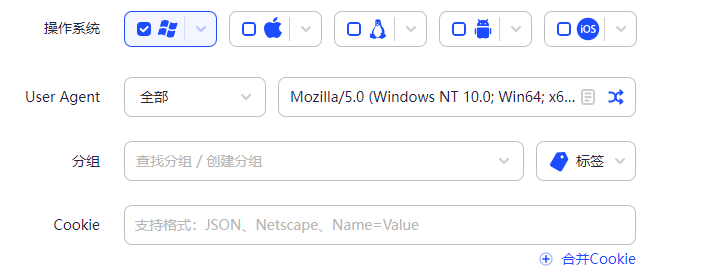
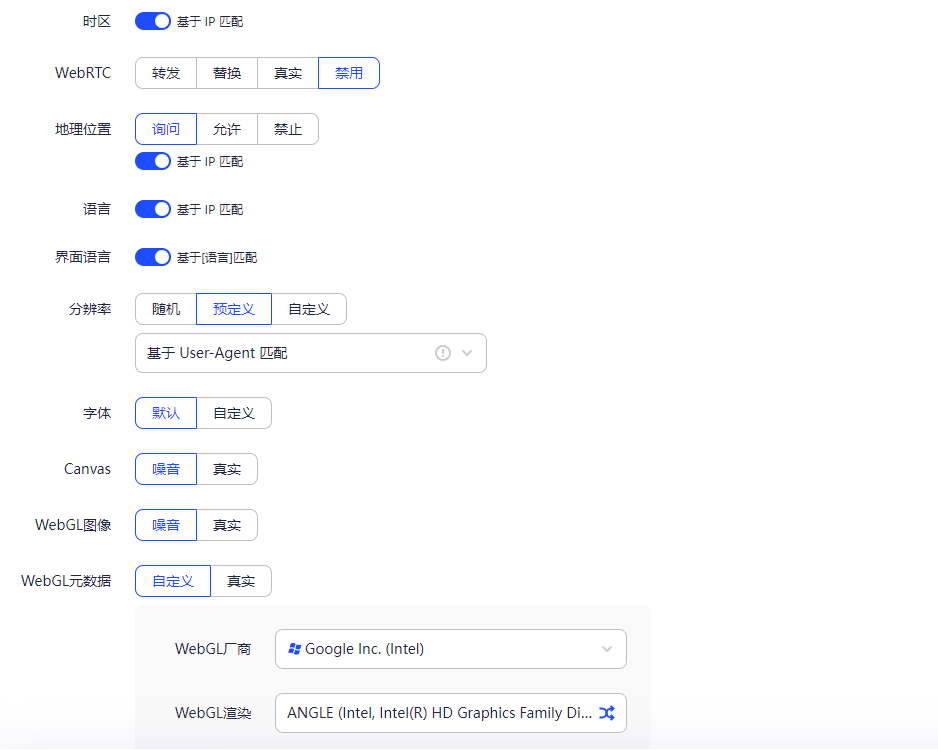
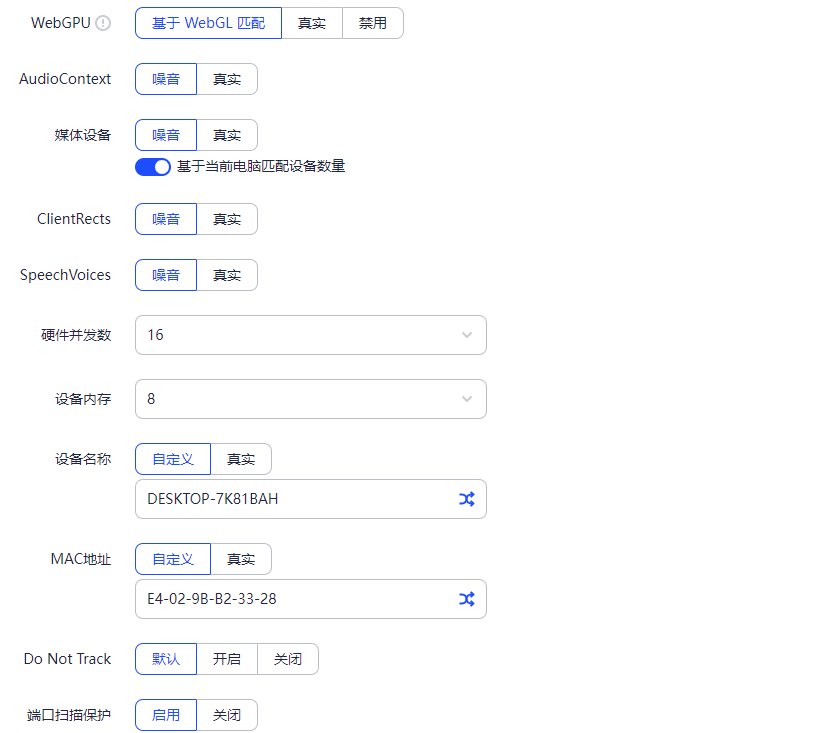
When simulating different browser environments, AdsPower allows you to set and change more than 20 browser fingerprint parameters, such as:
· Operating system (Windows, macOS, Linux, iOS, and Android mobile fingerprints)
· User-Agent
· Cookie
· Time zone
· WebRTC
· Geolocation
· Language
· Screen resolution
· Fonts
· Canvas
· WebGL
· MAC address
Dual-Kernel Browser for Enhanced Security
AdsPower provides two browser kernel options — SunBrowser based on the Chromium kernel and FlowerBrowser based on Firefox, which increases its flexibility in protecting user privacy and simulating different user environments.
SunBrowser:
SunBrowser is based on the open-source Chromium project, which is the foundation of many popular browsers such as Google Chrome and Microsoft Edge.
But unlike Chrome, SunBrowser does not send user data to Google, which helps protect user privacy. SunBrowser adds browser fingerprint management features, allowing users to change and manage their device's browser fingerprints and reduce the risk of being tracked.
Even though SunBrowser blocks data from being sent to Google, it still supports the use of Google accounts, which is important for users who need to use Google services.
FlowerBrowser:
FlowerBrowser is based on Mozilla Firefox, inheriting Firefox's focus on online privacy and adding browser fingerprint management features on this basis.
FlowerBrowser provides enhanced privacy protection measures, including stricter tracking protection and fingerprint spoofing features, to improve users' security and anonymity online.

2. Multi-Account Management
Account Isolation
In cross-border e-commerce, managing multiple accounts is a common requirement. For users who need to operate multiple online accounts simultaneously, AdsPower Fingerprint Browser provides an independent browsing environment for each account, including cookies, cache, and browsing history, making it look as if the accounts are logged in from different devices. This can prevent accounts from affecting each other and reduce the risk of being identified by platforms.
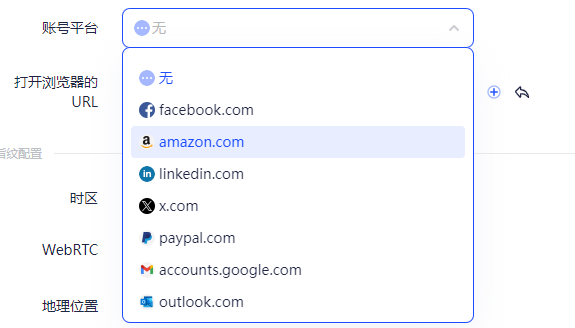
AdsPower supports managing accounts on various overseas platforms and social media, including but not limited to Amazon, Facebook, Google Ads, LinkedIn, Twitter, Discord, etc.
Efficient Management
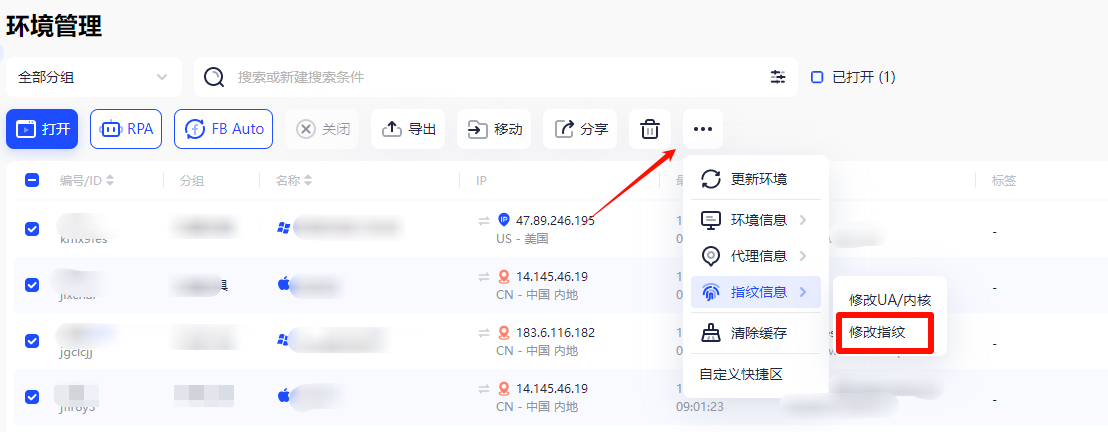
AdsPower Fingerprint Browser makes multi-account management efficient. It supports batch management of environments, helping users create multiple accounts at the same time and easily manage multiple accounts. It also supports batch modification of browser fingerprints and updating environment information; simply select the environments to achieve this. You can quickly create and change accounts in batches through programming, saving time on repetitive operations and improving work efficiency.

3. Proxy IP Configuration
Support for Mainstream Proxy Types
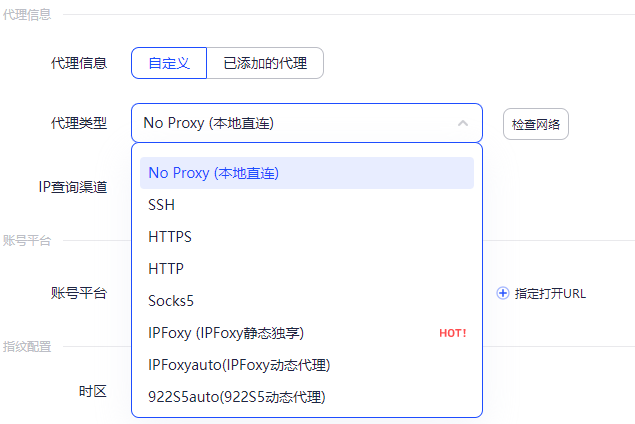
AdsPower Fingerprint Browser supports multiple mainstream proxy types to meet the needs of different users. Whether you need HTTP, HTTPS, or SOCKS proxies, it can provide support. If you already have a third-party proxy, you only need to select an appropriate proxy service according to your business needs and complete the configuration in AdsPower.
One-Stop Purchase of Official IPs
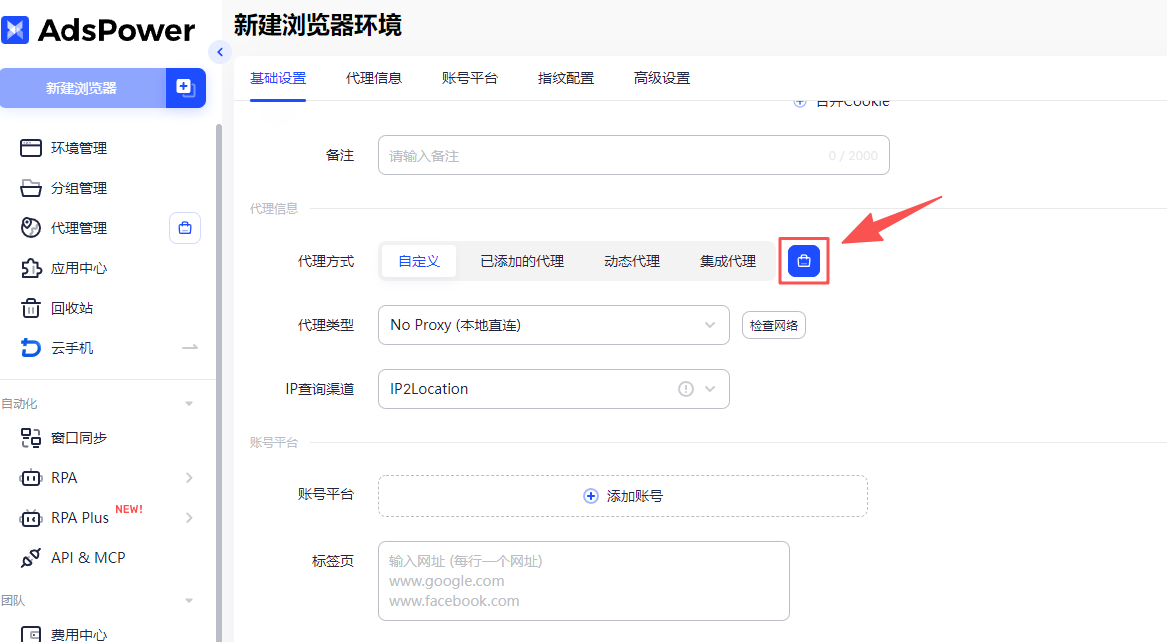
Now, you can not only use existing proxy services, but also directly purchase official proxy IPs within the AdsPower client. Whether when creating a browser environment or through the proxy management page, you can complete the proxy purchase in one place. After purchase, the proxy configuration is completed automatically, eliminating the need to switch back and forth between multiple proxy platforms and AdsPower and simplifying the environment setup process.
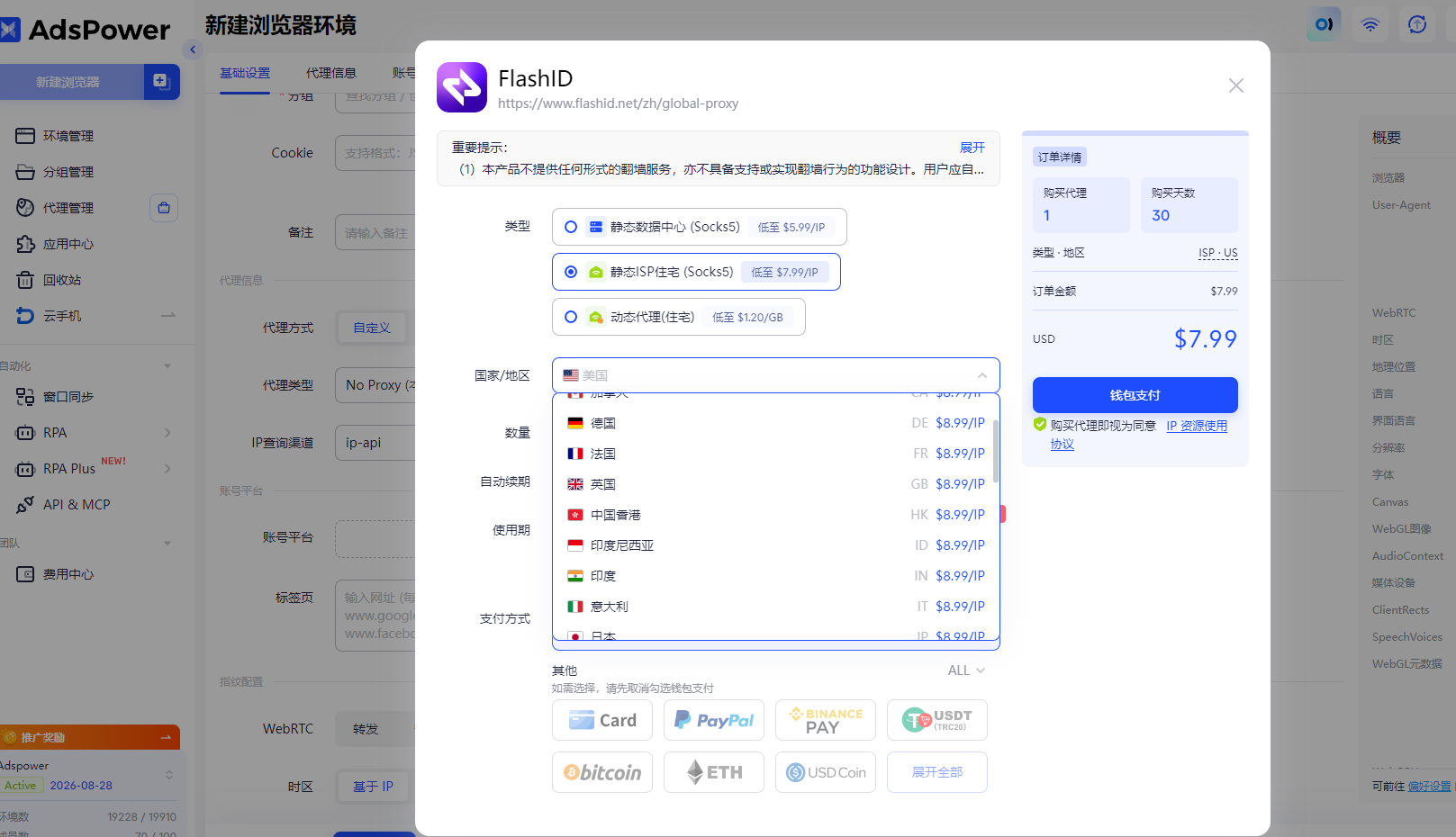
If you encounter difficulties during proxy configuration, you can click to view our help documentation. https://help.adspower.net/
Automatically Match Dynamic Proxies
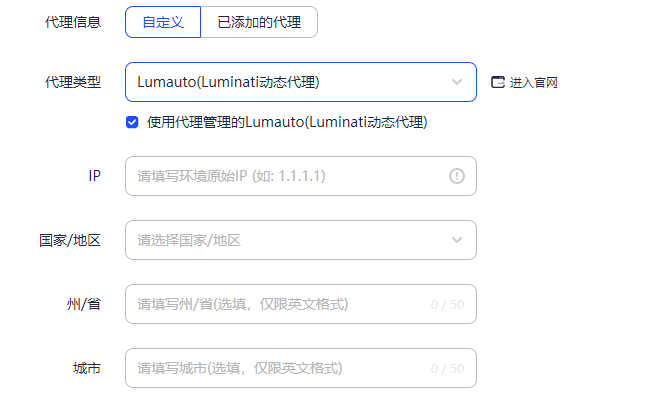
To simplify the operation process, AdsPower Fingerprint Browser provides an automatic matching function for dynamic proxy IPs. AdsPower has integrated multiple well-known proxy service providers, such as Bright Data and Oxylabs. Users only need to specify the required country information, and AdsPower will automatically find and match a suitable proxy IP from the proxy IP pool.
4. Browser Automation
In cross-border e-commerce, repetitive work often takes up a lot of time. AdsPower Fingerprint Browser helps you easily complete these tasks through its no-code automation (RPA) function, allowing even people without a programming background to automate tasks.
You can choose the local API and RPA bots to automatically perform routine operations, such as operations on web pages (clicking, scrolling, and entering text), as well as batch creation and modification of accounts.
AdsPower also provides RPA automation templates for different overseas platforms, such as publishing posts and tweets, liking, commenting, scraping Amazon reviews, watching videos on YouTube, etc. This not only saves time but also improves work efficiency.
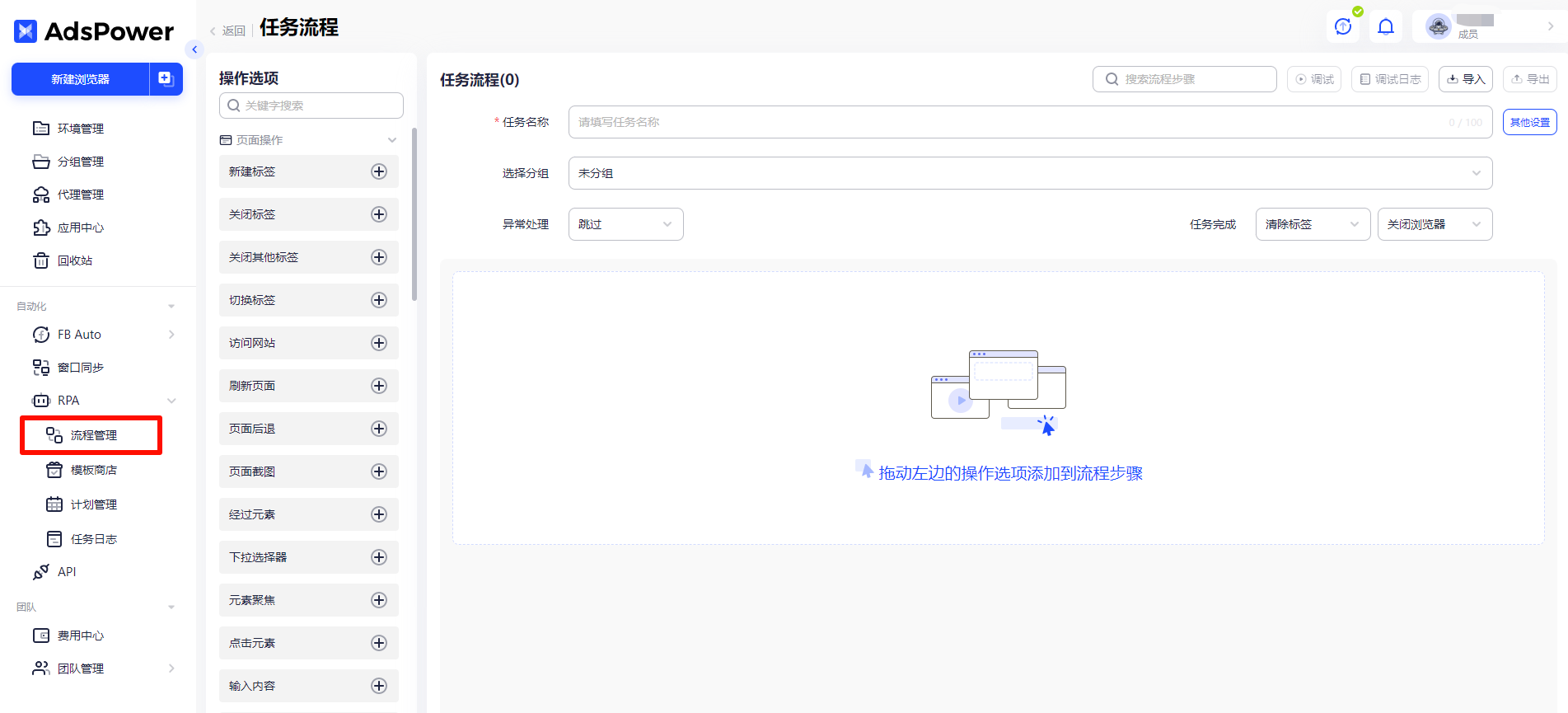
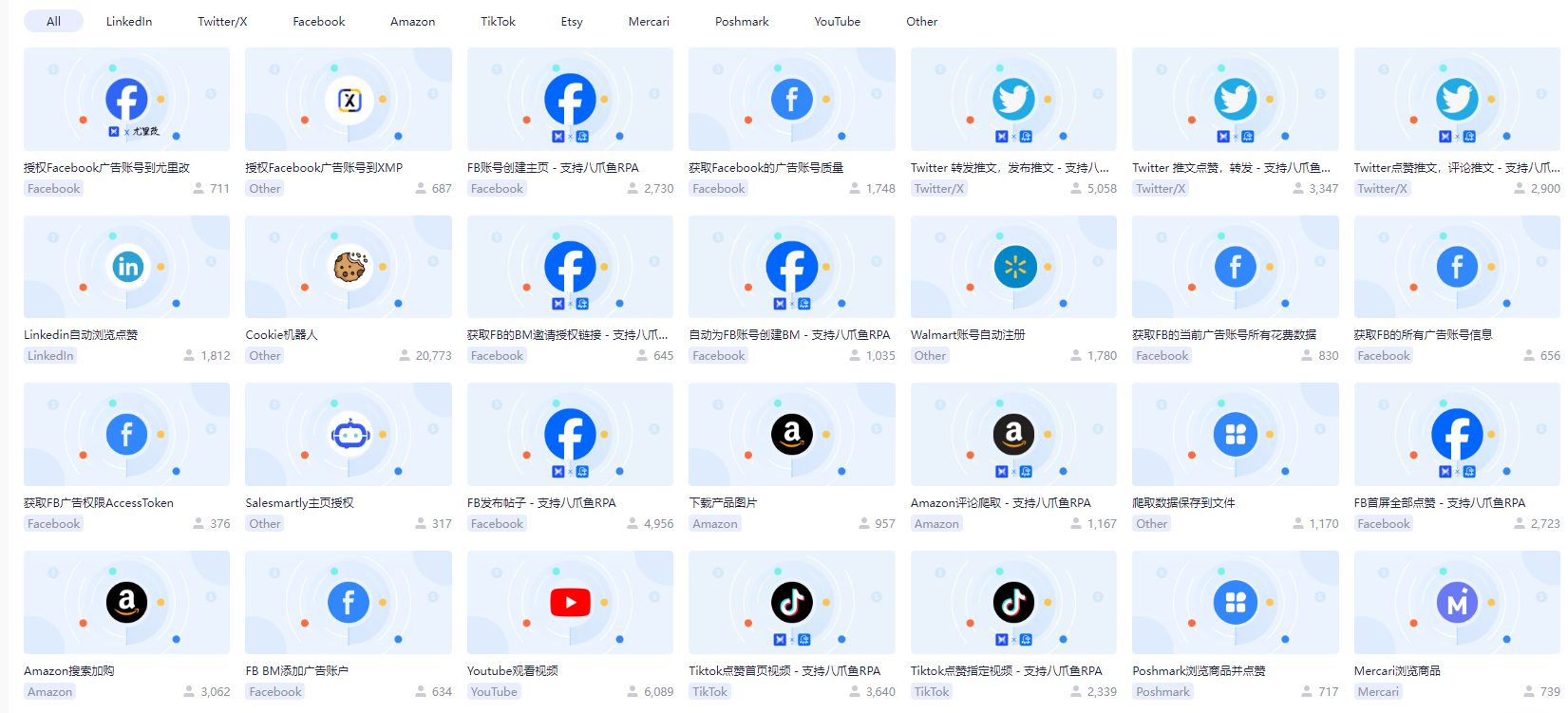
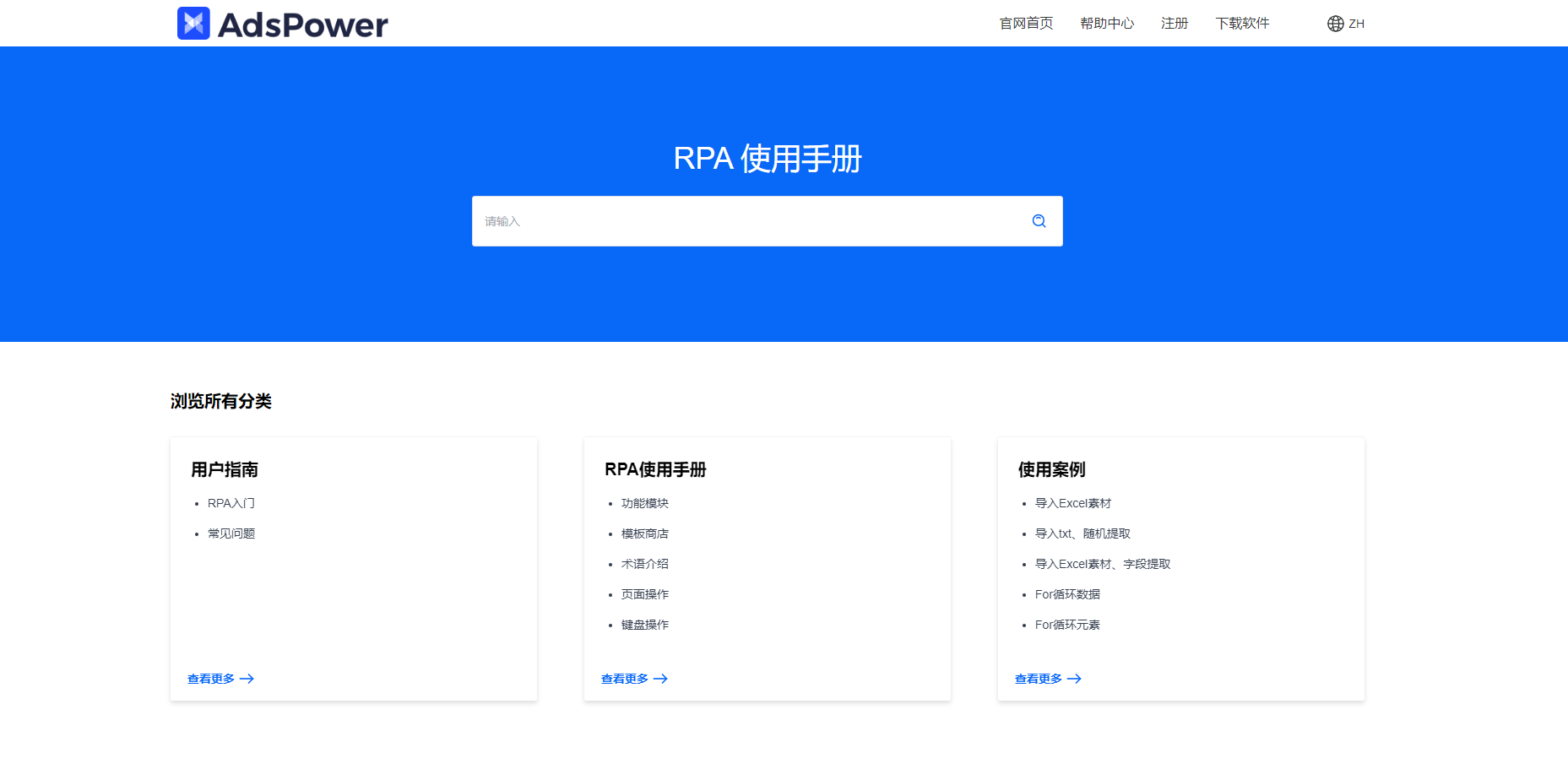
Click to view the RPA User Manual https://rpa-doc-zh.adspower.net/
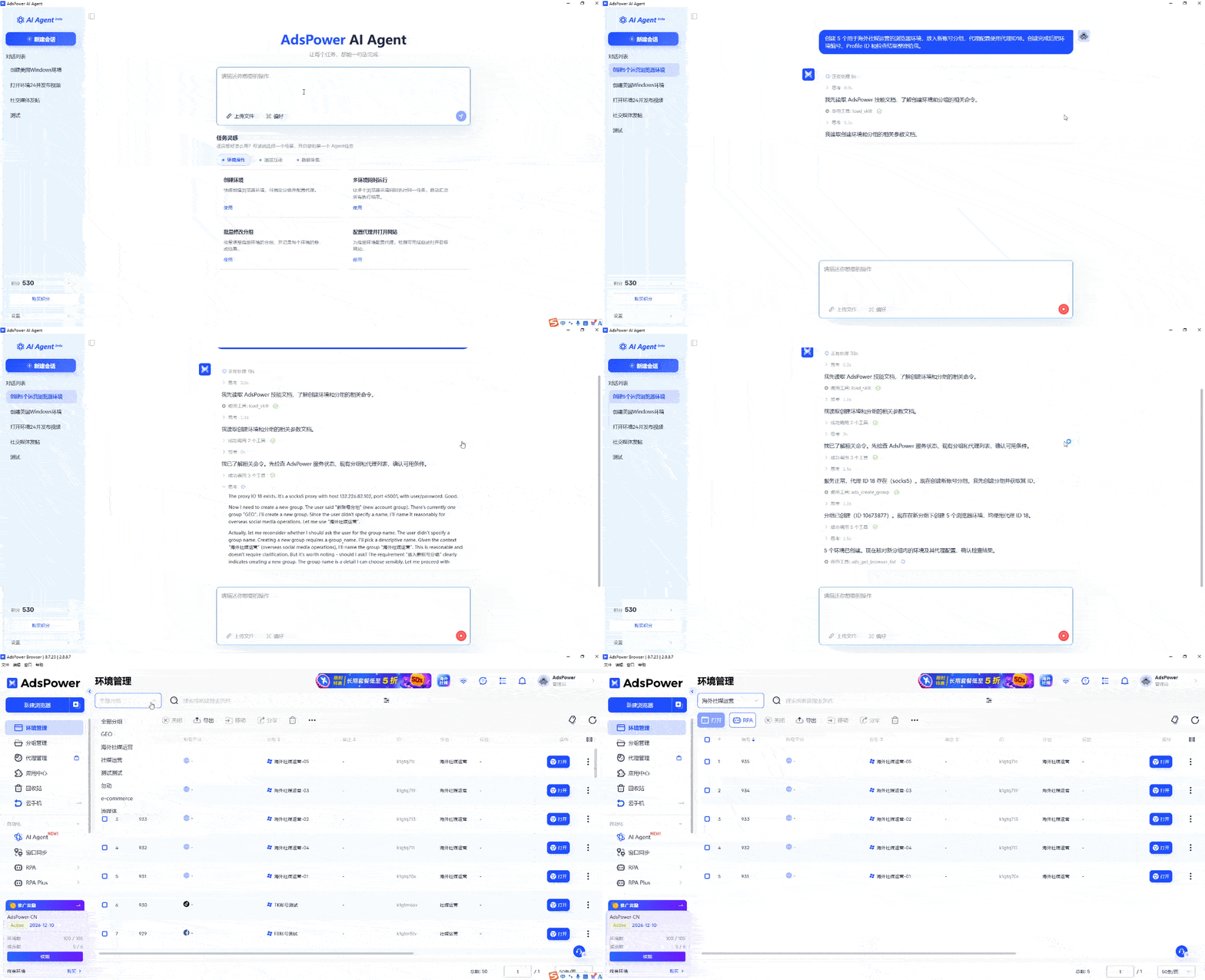
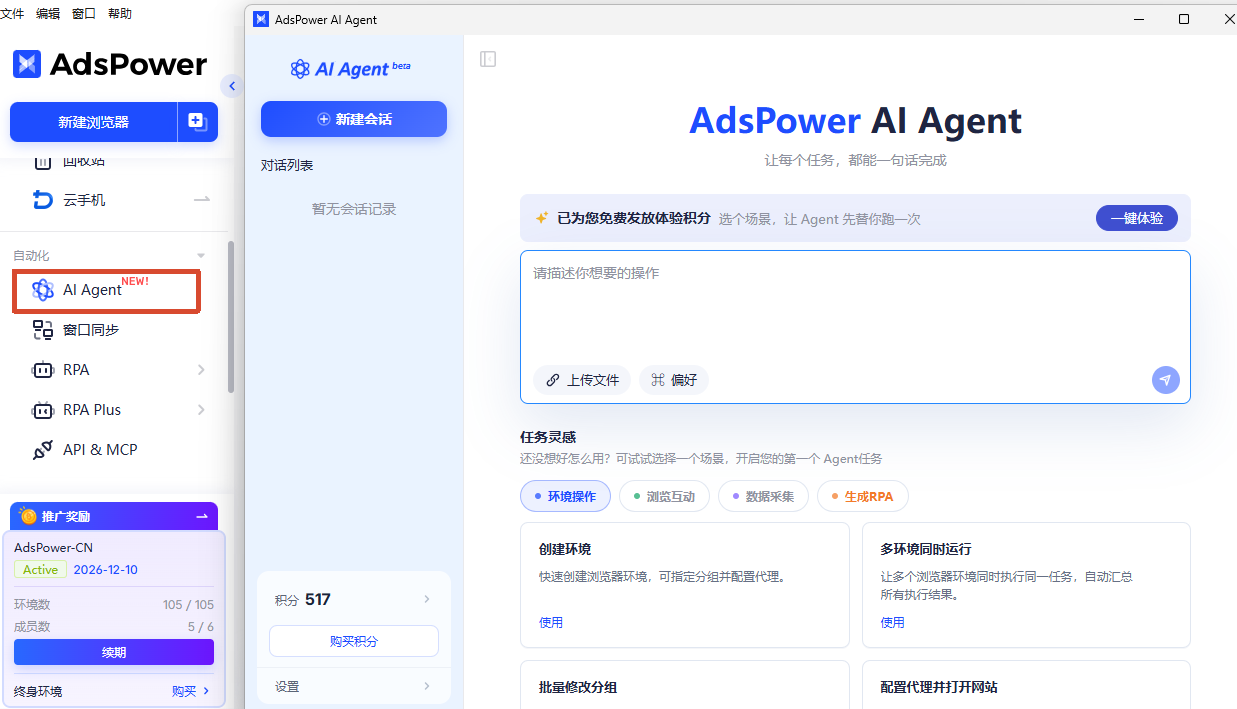
AI Agent Feature: State the Goal, and It Automatically Completes Multi-Account Tasks
AdsPower has launched the AI Agent feature. Users only need to describe their requirements in natural language, and the AI Agent can automatically complete a series of browser operations such as creating an environment, opening an environment, logging in to platforms, and publishing content.
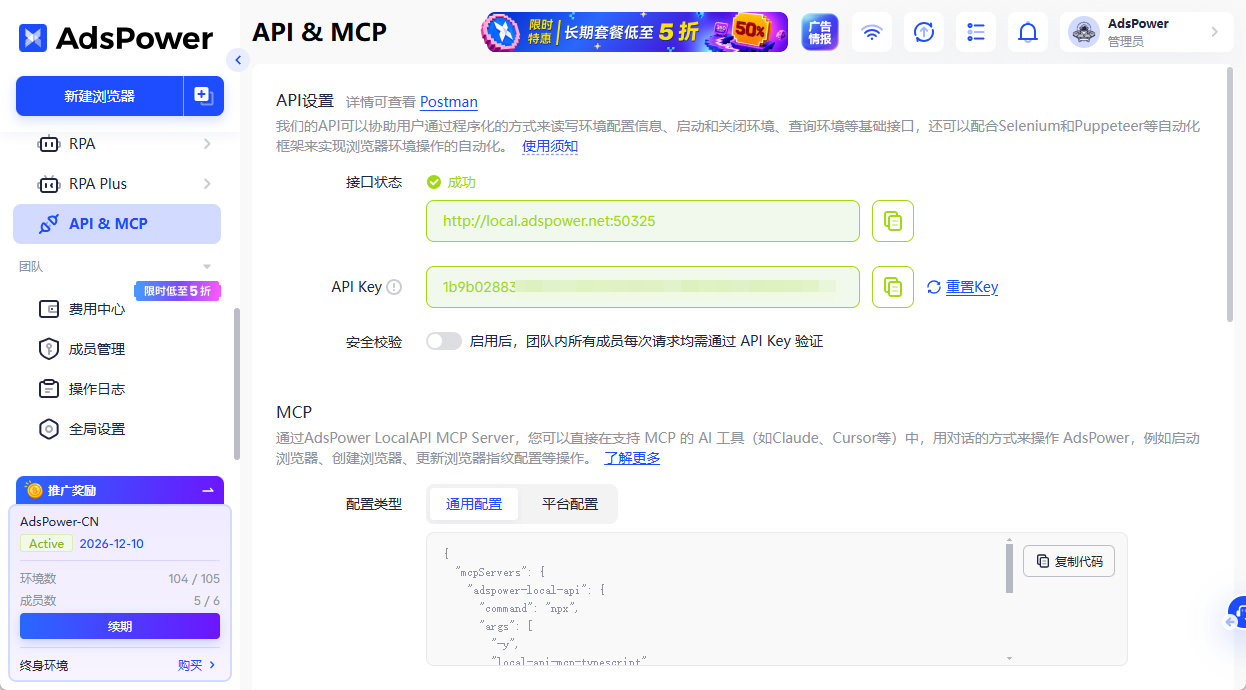
The AI Agent also supports independently connecting to MCP and Skills. The tools or automation scripts already used by the team can be connected for the Agent to call.
5. Window Synchronization
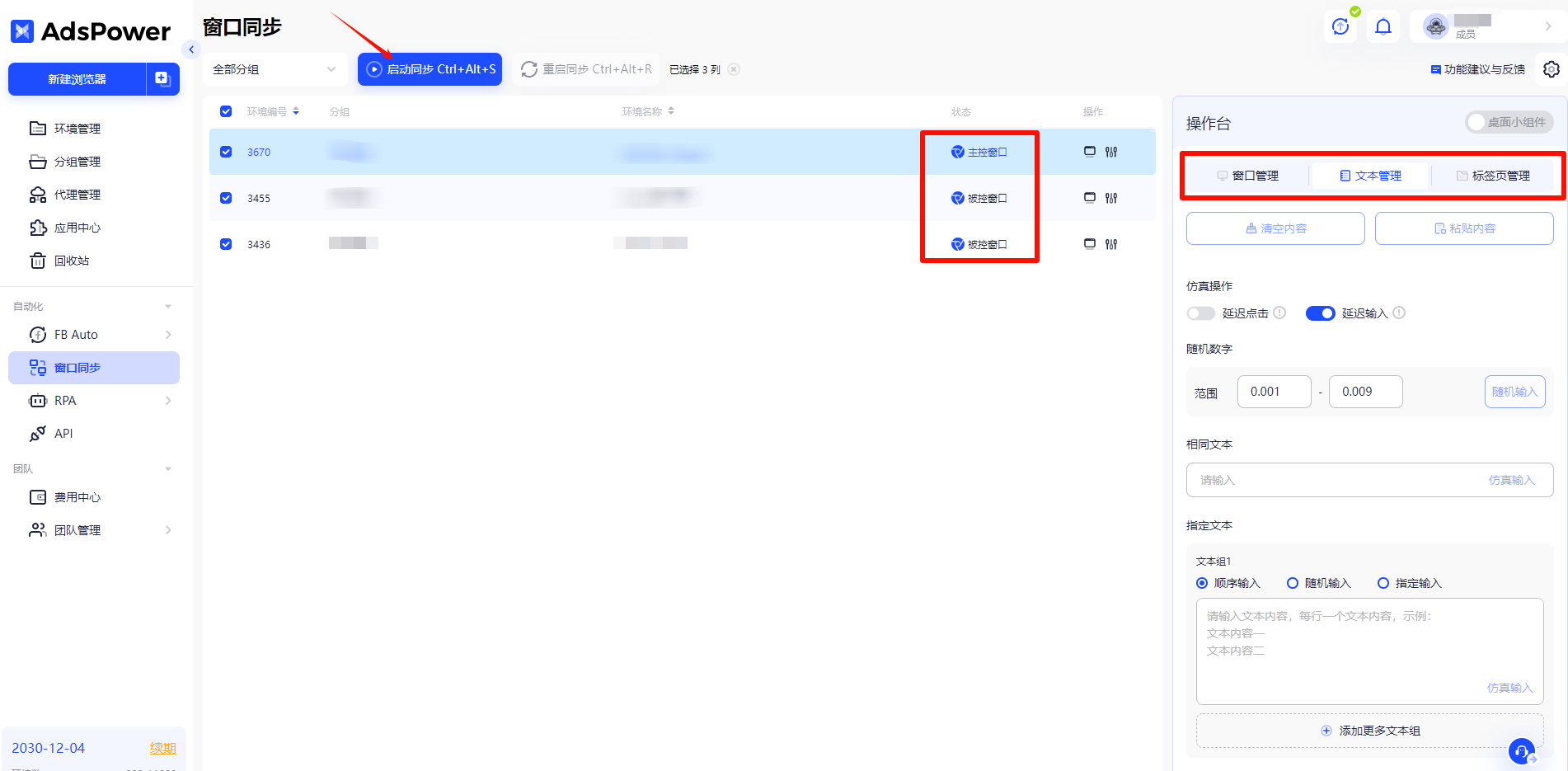
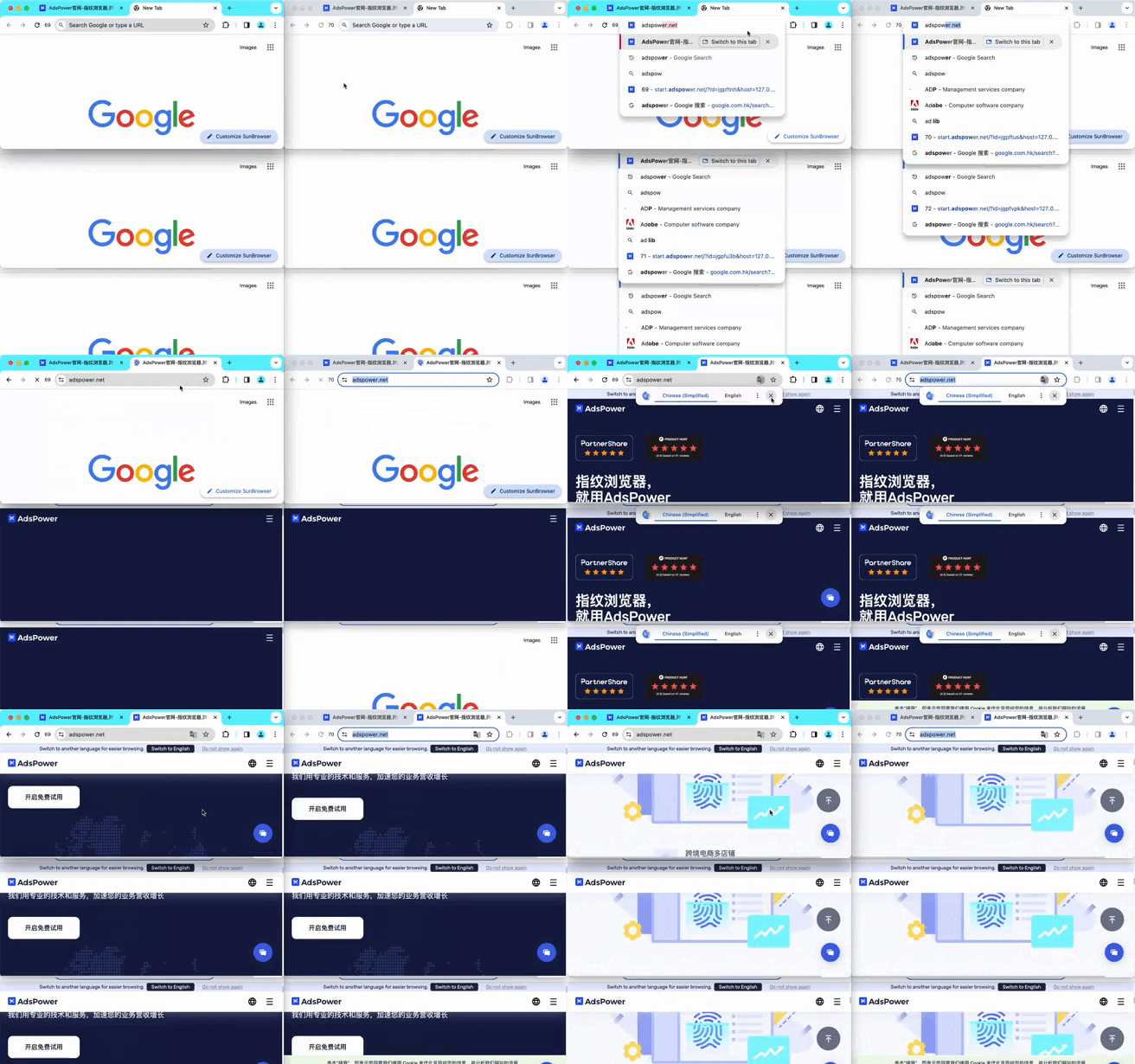
For users who need to perform the same operations in multiple browser instances, they should not miss AdsPower's window synchronization feature. You can perform operations such as opening a new tab, clicking buttons, and entering text in one main control browser window, and these operations will be copied in real time to all other controlled windows.
This means you can synchronize operations across multiple accounts, saving a lot of time and effort, especially in multi-account management activities such as account warming, advertising, and affiliate marketing.
6. Team Collaboration
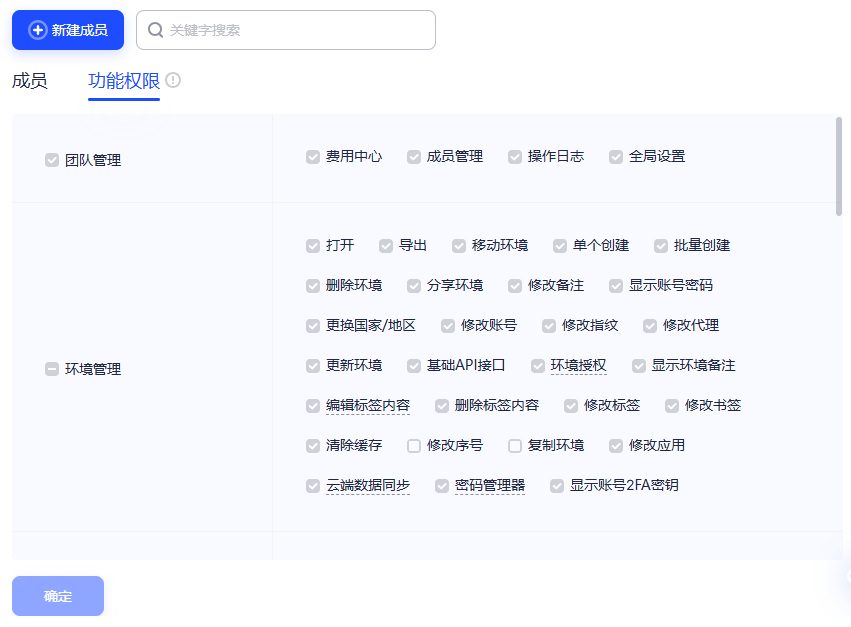
AdsPower Fingerprint Browser provides strong support for team collaboration. You can set up to 40 permissions for each team member in AdsPower, making it easy to manage team members' permissions and ensuring data security and efficient operations.
Share Browser Environments
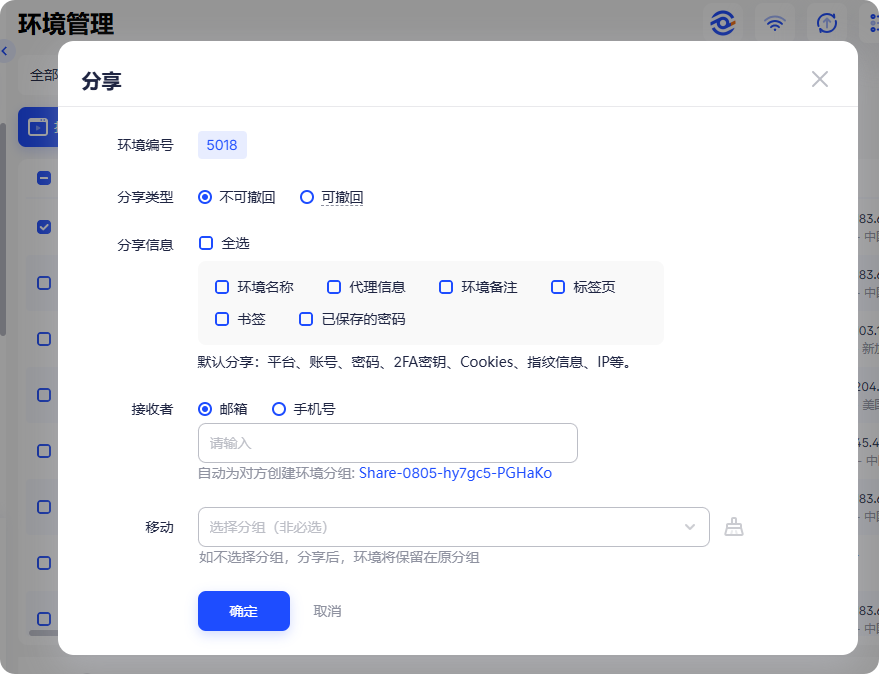
Securely share browser environments without exporting or configuring them repeatedly. Team members can directly use shared browser environments, including account passwords, Cookies, browser fingerprints, proxy configurations, and other information, enabling efficient collaboration while ensuring data security and reducing the time cost of repeatedly setting up environments.
Flexible Member Permission Management
It supports configuring detailed permissions for different members, covering operations such as viewing, editing, creating, and deleting environments, as well as team management, ensuring that each member can only access and operate content within their responsibilities. It also supports creating or joining multiple teams and switching between different teams with one click, enabling independent collaboration and unified management across multiple projects, customers, and roles.
AdsPower Pricing
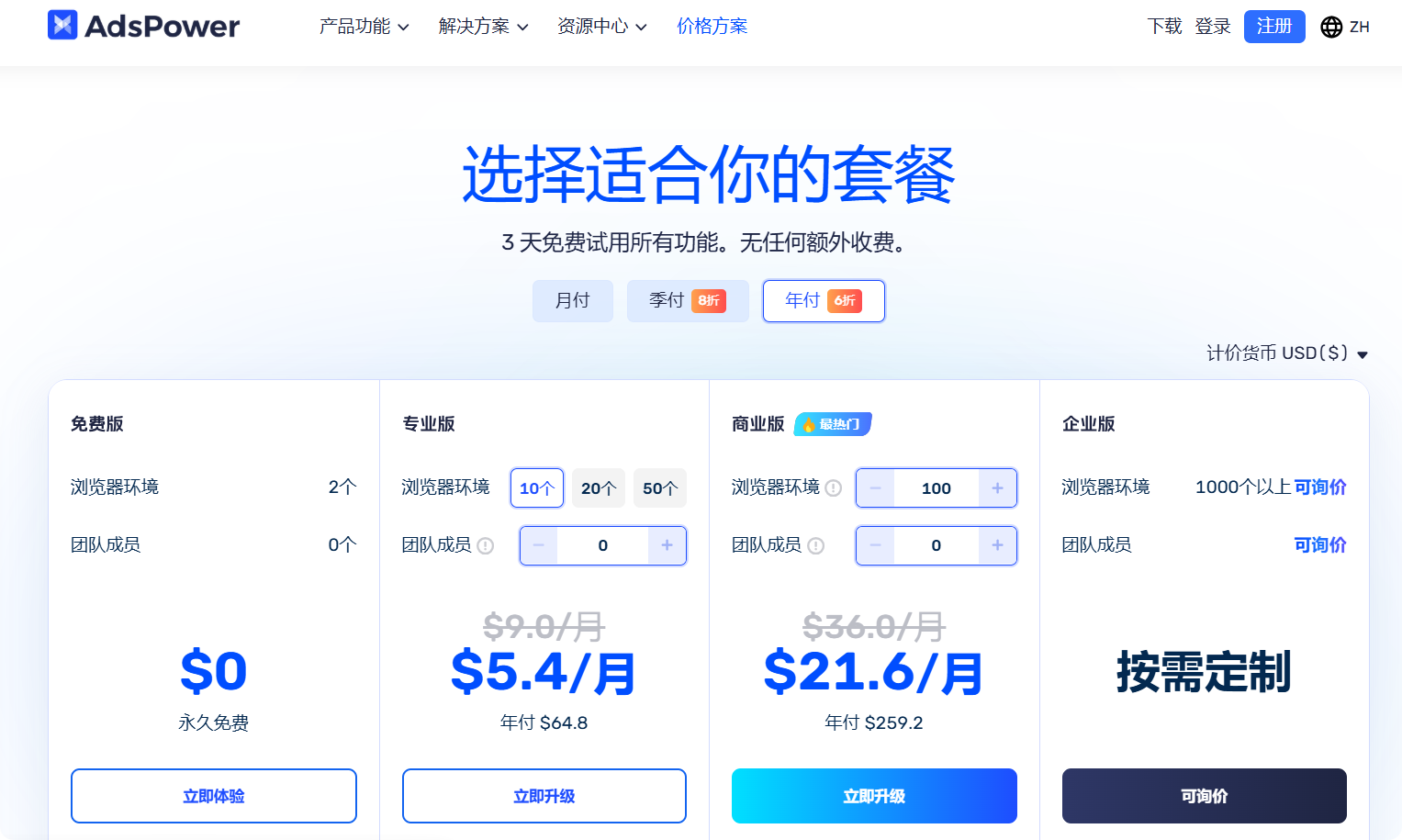
AdsPower provides flexible pricing plans to meet the needs of users and enterprises of different sizes. From the permanently free version to different levels of paid versions, users can choose the appropriate service according to their needs and budget.
Permanently Free Version
For users who want to try AdsPower Fingerprint Browser, AdsPower provides a permanently free option. You can experience its basic features before purchasing, providing a risk-free opportunity.
· Create up to 2 browser environments, suitable for individual users
· Chrome and Firefox dual-kernel fingerprint browser
· Custom browser fingerprint feature
· Support for window synchronization
· RPA bot automation tools
Paid Version
Starting at $9 per month, with discounts available for annual subscriptions
Includes one user and 10 browser environments. If more environments are needed, configurations with 50, 150, 400, or 1,000 browser environments can be selected.
If more users need to be added, each additional user costs an extra $5.
Click to view AdsPower's pricing plans https://www.adspower.net/pricing
Getting Started with AdsPower Fingerprint Browser
1. Click the link: https://www.adspower.net/share/Helodata1, go to the official AdsPower website and click the “Sign Up” button to start creating an account.
2. Download the AdsPower client, choose the appropriate version according to your operating system, and log in to your registered account.
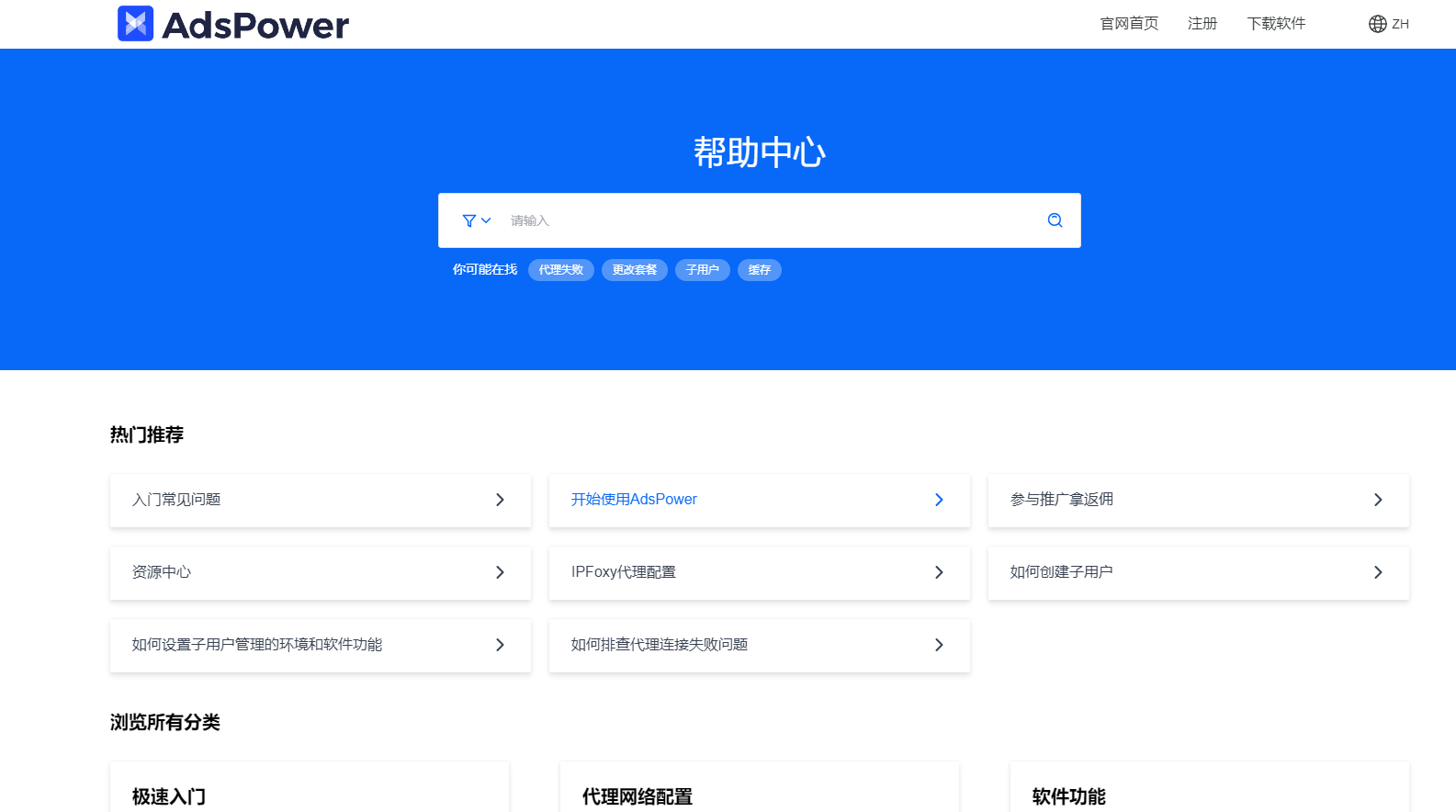
If you encounter difficulties while using AdsPower, you can click to view our Help Center documentation, where you can find answers to frequently asked questions and tutorials.
Or directly contact our online technical support, which can help you solve problems faster.
Conclusion
AdsPower Fingerprint Browser provides cross-border e-commerce users with excellent privacy protection and multi-account management features. You can significantly improve work efficiency through its no-code automation and window synchronization features. As an essential browser for overseas expansion, it not only performs well in terms of security and functionality, but also provides flexible pricing plans suitable for the needs of different users. You can choose the free plan and experience its powerful features firsthand. Whether you are an individual user or an enterprise team, AdsPower Fingerprint Browser can provide strong support for your cross-border business. Try it now and experience the convenience and security it brings.