How to keep browser fingerprints natural across multiple Afina profiles
Start with a conservative baseline, keep the profile operating system aligned with the host machine, let language and timezone follow the proxy IP, and change one layer at a time. Afina isolates profile data, but operators still decide whether the fingerprint, network route, cookies, and daily behavior make sense together.
Natural browser fingerprint management means keeping each profile internally consistent without forcing every signal to look artificially unique. Teams use it to separate working sessions while preserving plausible device behavior. In real operations, the main risks are overconfiguration, location mismatches, and changing several signals while investigating one failure.
The fingerprint problem is often overconfiguration.
When several accounts need separate environments, the obvious temptation is to randomize every available field. That creates a new problem: a profile can become unusual because too many signals are noisy at once. A 100% unique setup is not automatically a natural one.
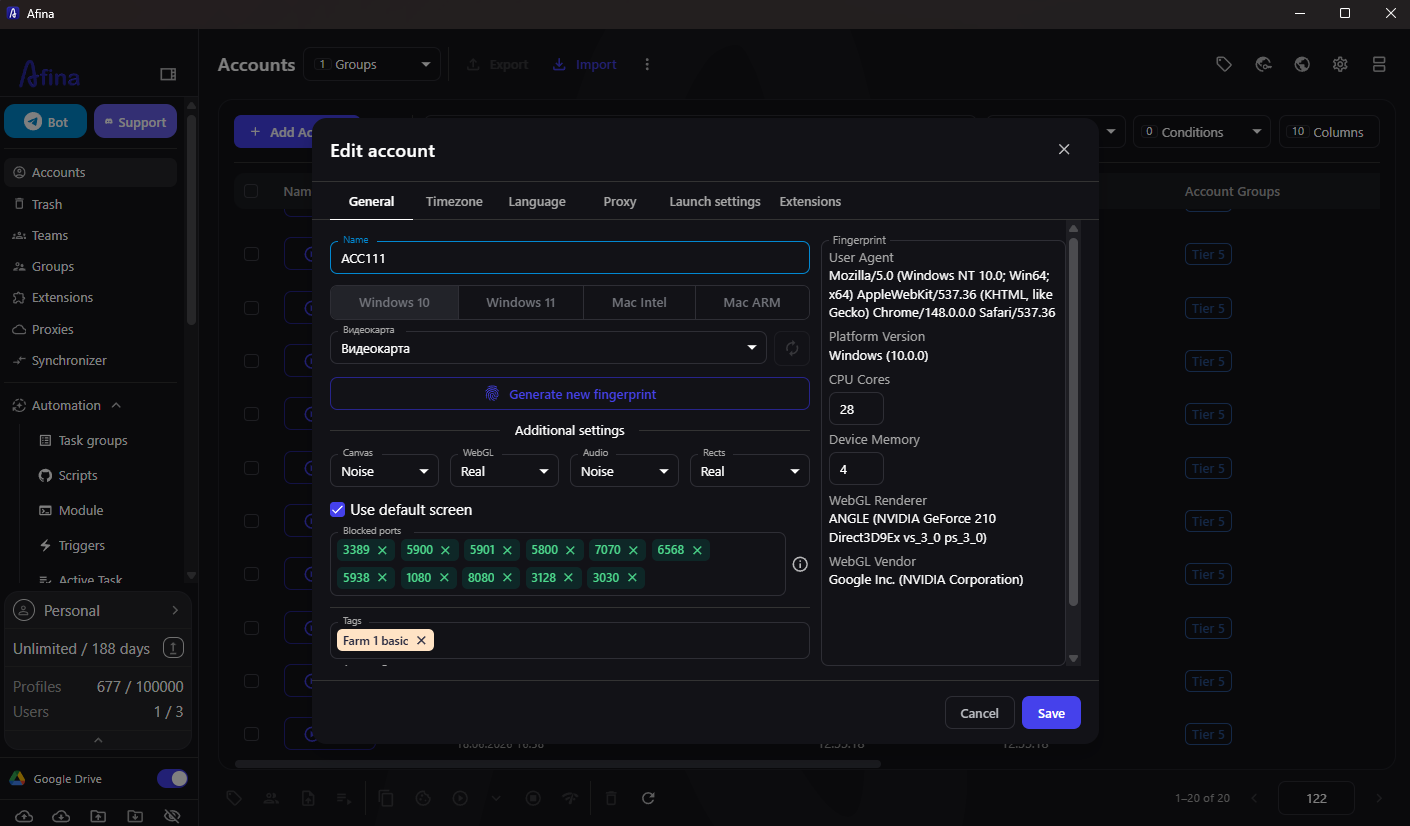
Afina fingerprint management exposes controls for Canvas, WebGL, Audio, Rects, operating system, hardware values, screen, language, and timezone. The practical goal is not maximum difference. It is sufficient separation with a believable internal pattern.
A conservative starting rule is to keep Canvas set to Real and apply noise to only one of WebGL, Audio, or Rects. Match the profile operating system to the physical machine to reduce font and rendering conflicts. Use an even CPU-core value and one of the supported memory choices rather than inventing impossible hardware.
At scale, inconsistency spreads faster than individual errors. A shared baseline in an Afina multi-accounting workspace helps teams compare profiles using the same policy. It also makes exceptions visible. If one profile needs a special screen size or language, record why instead of allowing silent drift.
Build a conservative baseline before cloning anything.
Create one reference profile for each legitimate device and location pattern. The baseline should describe the operating system, screen resolution, selected fingerprint noise, language policy, timezone policy, proxy country, cookie source, and profile owner. It is a template for review, not a profile that every person copies blindly.
The safest baseline is compact:
- match the profile OS to the host OS;
- keep Canvas on Real;
- add noise to only one of WebGL, Audio, or Rects;
- choose a fixed, plausible screen resolution;
- derive timezone and language from the proxy IP;
- keep one documented owner and purpose per profile
The final line matters. Fingerprint settings cannot compensate for chaotic ownership. Two operators changing the same profile from different routines can create more inconsistency than any single technical value.
After the reference profile passes review, duplicate the policy, not the exact identity. Preserve the rules while giving each profile its own storage, cookies, proxy assignment, and controlled fingerprint values.
Treat location signals as one system
A profile can have a plausible fingerprint and still look inconsistent if its network location, timezone, and language disagree. This is why location should be managed as one system rather than three independent dropdowns.
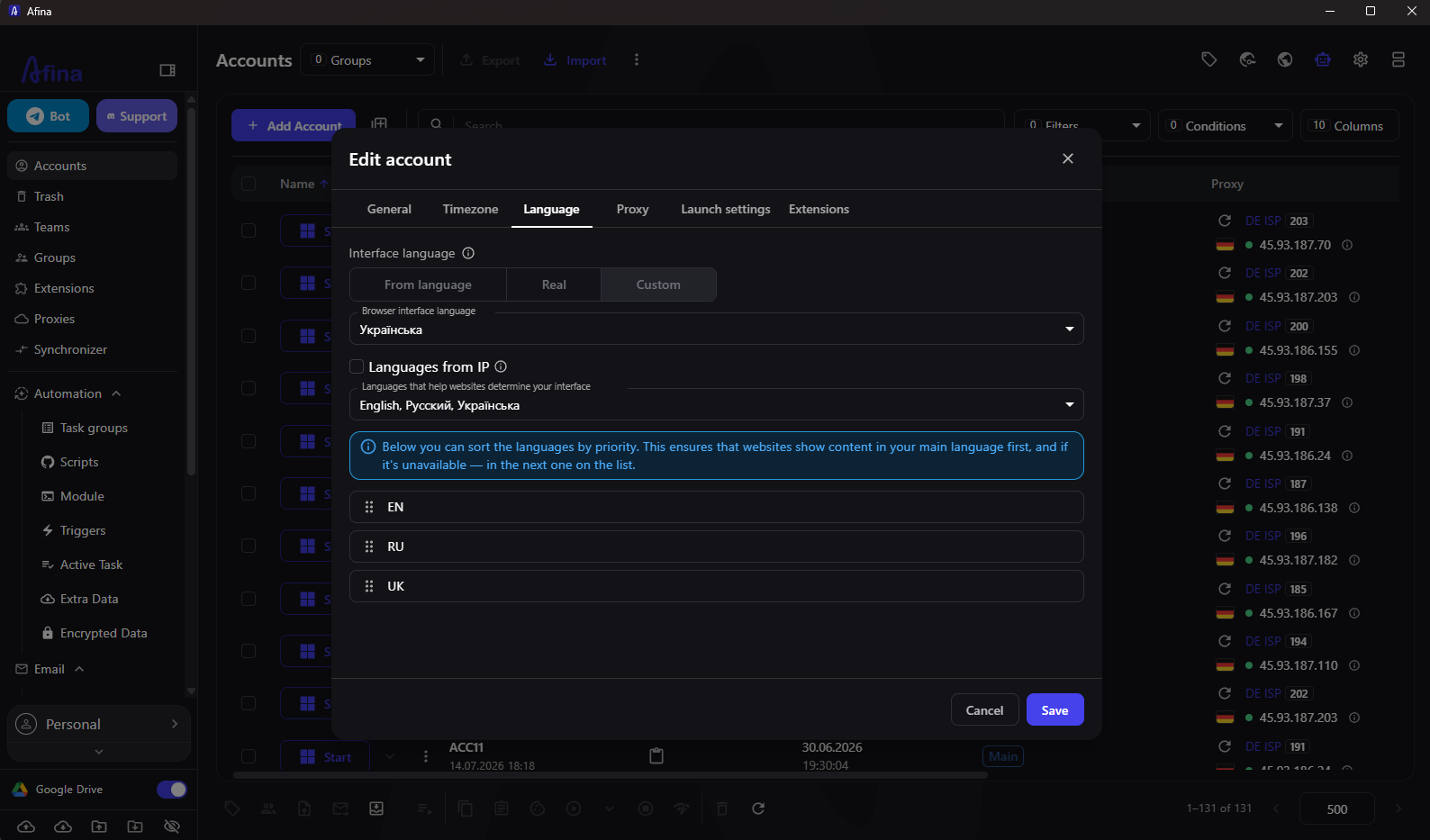
Afina can derive timezone and language from the assigned proxy IP. With those options enabled, the browser clock, interface language, and relevant headers follow the route location. If the proxy country changes during a session, the mismatch can become a strong anomaly. The Block on proxy country change setting can prevent the profile from continuing under the unexpected location.
Do not interpret automatic alignment as permission to rotate countries casually. A persistent account should have a documented location policy. If a route must change, stop the profile, validate the replacement, review location-derived settings, and start a new session only after the baseline is consistent.
Use change control instead of random regeneration
When a profile starts failing, teams often regenerate the fingerprint, replace the proxy, clear cookies, and switch machines in one attempt. Even if the next launch works, nobody learns which layer caused the problem. The profile also returns with a completely different identity.
Use a one-change rule. Capture the last known working state, identify the suspicious layer, change only that layer, and run the same acceptance test again. A short incident note should include the time, visible IP and country, proxy label, profile version, cookie status, observed symptom, single change, and result.
Symptom | Inspect first | Do not change yet |
|---|---|---|
Country or timezone mismatch | Proxy route and IP-derived settings | Canvas and hardware values |
WebRTC IP mismatch | Proxy transport and WebRTC policy | Cookies |
Forced re-login | Cookie age and account session | Screen resolution |
Rendering anomaly | OS match and rendering mode | Proxy country |
One profile fails while peers work | Profile-specific changes | The entire shared baseline |
This method may feel slower for one incident. Across twenty profiles, it is much faster because the team builds evidence instead of producing a new mystery.
Understand what isolation does and does not solve
Afina stores each profile in a dedicated folder with separate session data, local storage, cache, extensions, and cookie databases. Network traffic also runs through separate browser processes. That is different from using ordinary browser tabs, where sessions share much more state.
Control | Separate Afina profile | Ordinary tab in one browser session |
|---|---|---|
Cookies and local storage | Isolated per profile | Commonly shared by site and browser session |
Proxy assignment | Controlled per profile | Usually browser-wide or extension-dependent |
Fingerprint policy | Configurable per profile | Mostly inherited from the same browser |
Ownership record | Can map to profile ID, tags, and groups | Often informal |
Failure containment | One profile can be stopped and reviewed | Changes may affect the shared session |
Isolation creates boundaries; it does not make account behavior credible by itself. The operator still needs to use valid cookies, follow platform rules, avoid unrealistic activity patterns, and protect encryption credentials.
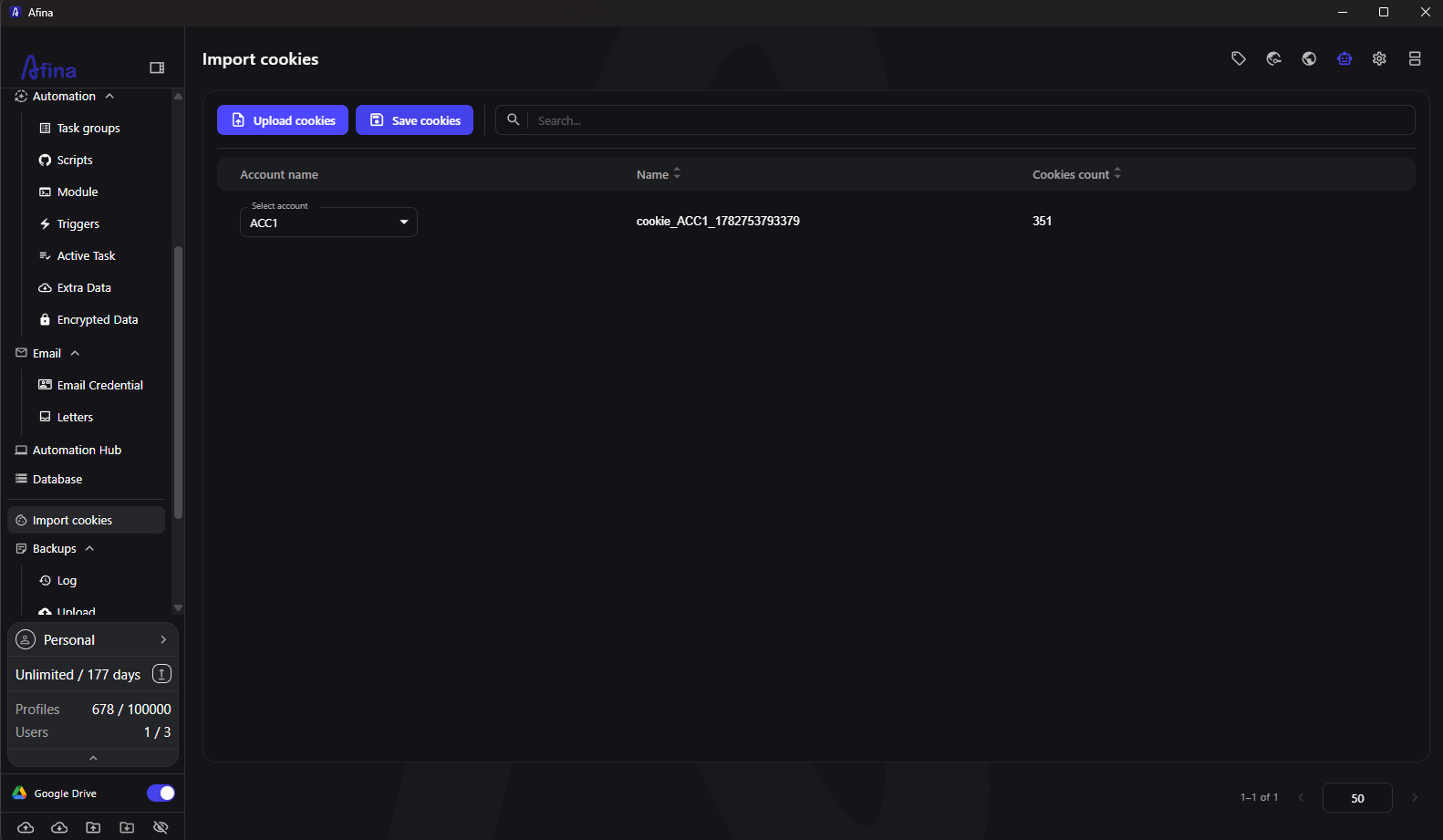
Cookie imports deserve particular care. Afina can import and export cookies, but expired cookies will still trigger a new login. If cookies are set through the API, the profile must be fully stopped unless the workflow intentionally uses direct CDP commands. Treat cookie age and source as part of the profile baseline.
Run a forensic check when one profile starts failing
Start with evidence that can change without touching the fingerprint. Check the visible IP, country, route status, and whether language and timezone still follow the IP. Then review cookies and recent operator actions. Only after those checks should you change fingerprint values.
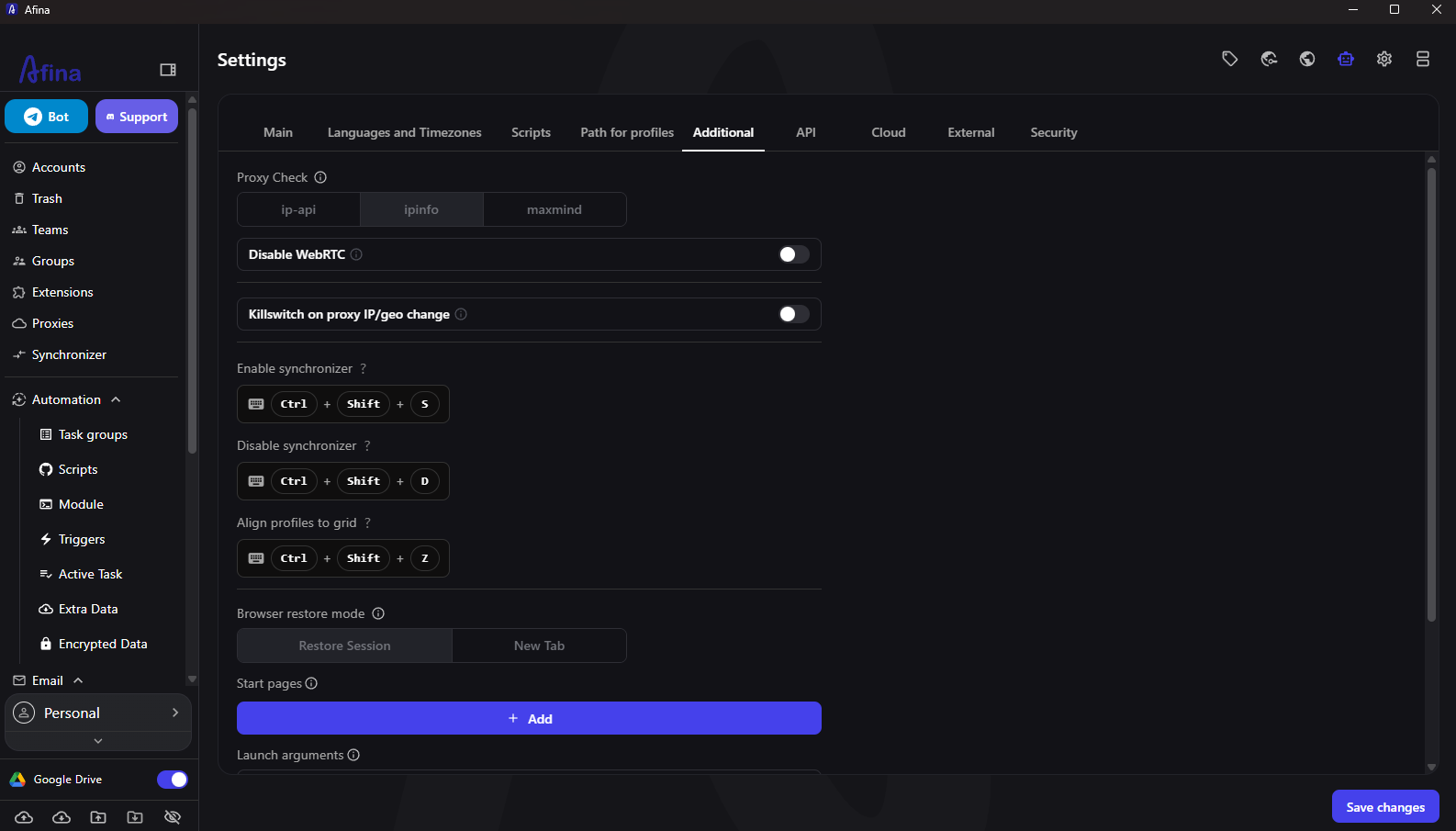
For WebRTC-sensitive workflows, remember that behavior depends on the proxy transport. Afina supports HTTP, HTTPS, and SOCKS5 IPv4 proxies. SOCKS5 can carry UDP when the upstream endpoint provides real UDP tunneling. If it does not, WebRTC, QUIC, or WebTransport behavior may not match expectations. Afina's proxy controls let the operator assign and validate the route, while the provider determines the endpoint's actual network capabilities.
Use the following order for a clean investigation:
1. stop the affected profile and record the symptom;
2. compare the route and location with the last working record;
3. verify cookies and recent ownership changes;
4. check OS, screen, and selected fingerprint noise against the baseline;
5. change one layer and repeat the same test;
6. document the result before returning the profile to use
The order protects the evidence. It also prevents a local proxy outage from turning into a completely regenerated browser identity.
Limits a natural fingerprint policy cannot remove
No fingerprint policy guarantees that an account will remain active. Platforms combine many signals, including account history, behavior, network reputation, device consistency, cookies, and compliance with their rules. A coherent setup reduces avoidable contradictions; it does not override platform enforcement.
Infrastructure matters too. Running profiles on a VPS without a GPU can produce lag or rendering behavior that needs software rendering. Deleting profile folders directly from disk can break account counters, so profiles should be removed through the Afina interface. Losing the master password or encryption key can make encrypted cookies and session data unrecoverable.
The sound operating goal is modest: create profiles that are consistent, reviewable, and tied to legitimate tasks. Keep the baseline conservative. Record exceptions. When something fails, preserve the evidence and change less.
Download Afina Browser
Promo codes for new users:
- SALE20 - 20% off all plans except Max
- SALE30 - 30% off the Max plan
FAQ
Should every Afina profile have a completely unique fingerprint?
No. Maximum uniqueness can itself look unusual. Use a conservative policy that keeps the profile internally consistent and changes only the signals needed for the legitimate workflow.
Why should Canvas stay on Real?
Keeping Canvas on Real avoids adding noise to every fingerprint component. Afina's documented baseline recommends applying noise to only one of WebGL, Audio, or Rects instead.
Should I regenerate the fingerprint after a proxy failure?
Not automatically. Stop the profile, verify the route and location signals, and change only the layer that failed. Regenerating everything destroys useful diagnostic evidence.
Can isolation replace operational rules?
No. Isolated storage and processes provide technical boundaries, but teams still need ownership, change records, valid cookies, stable routes, and platform-compliant behavior.